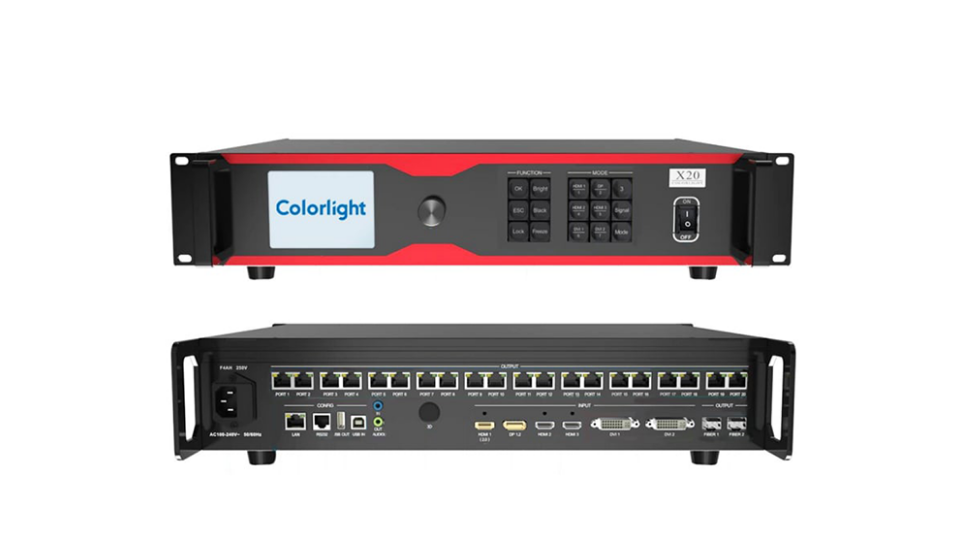
Quickly master Colorlight X20: a concise configuration and operation manual that beginners must read
The Colorlight X20 is a cutting-edge LED display controller designed for professional applications, offering advanced video signal processing, flexible input and output options, and intuitive functionalities. As the demand for high-resolution LED displays grows across industries such as live events, broadcast studios, and digital signage, the need for reliable control systems has never been greater.
The Colorlight X20 stands out with its ability to manage intricate video inputs while ensuring smooth outputs, making it an indispensable tool for modern visual solutions.
This comprehensive guide will walk you through the manual, technical specifications, setup process, and key features of the Colorlight X20, helping you maximize its potential in your projects.
1.Introduction to Colorlight X20
The Colorlight X20 is a high-performance LED display controller tailored for professional environments. Whether you’re managing large-scale video walls, stage backdrops, or corporate presentations, this device ensures seamless synchronization, minimal latency, and stunning image quality. With support for 4K resolution, ultra-high refresh rates, and advanced color calibration, the X20 is ideal for demanding visual environments.
From concert stages to retail spaces, the Colorlight X20 delivers unparalleled performance, making it a top choice for professionals seeking reliability and precision.
2.Colorlight X20 Technical Specifications
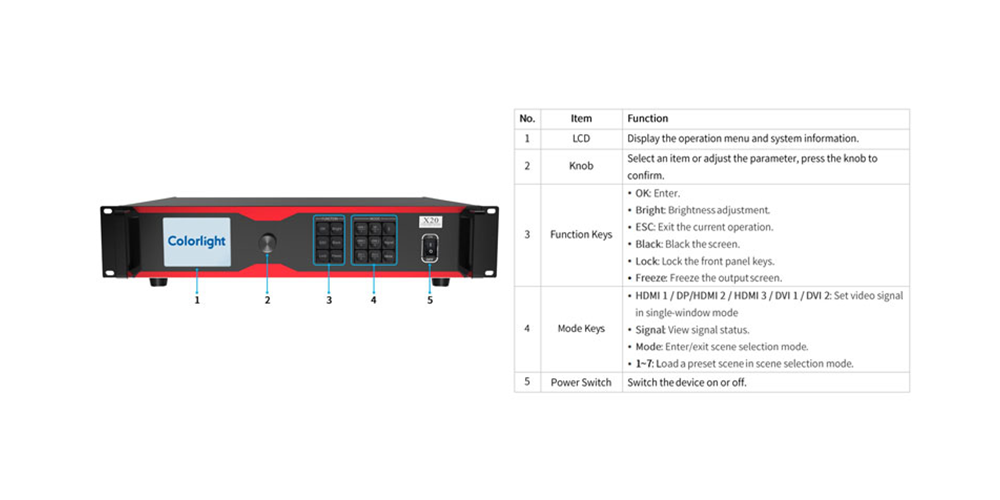
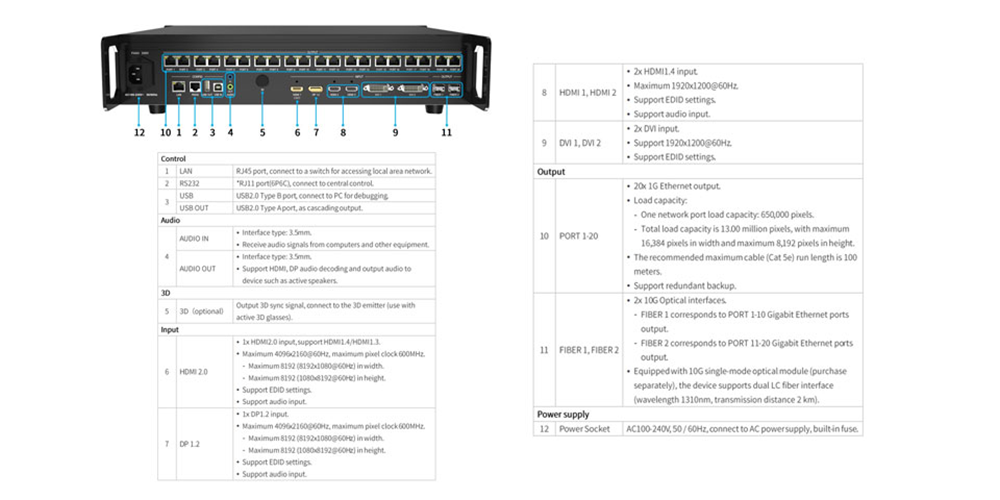
Input Connectors:
4K Inputs:
- 1× DP 1.4
- 1× HDMI 2.0
2K Inputs:
- 2× HDMI 1.4
- 2× DVI
Input Resolution:
- Supports resolutions up to 4096×2160 at 60Hz, with customizable settings.
Loading Capacity:
- Handles up to 13 million pixels.
- Maximum width: 16,384 pixels.
- Maximum height: 8,192 pixels.
Output Connectors:
- 20× Gigabit Ethernet ports.
- 2× 10G optical fiber ports (Note: Ethernet and optical outputs cannot be used simultaneously).
Video Processing Capabilities:
- Seamless video source switching.
- Cropping, splicing, and scaling functionalities.
- Supports up to 6 windows, with freely adjustable positions and sizes.
Audio Support:
- Independent 3.5mm audio input and output.
- Supports audio extraction from HDMI and DP inputs.
Additional Features:
- HDCP compliance.
- Brightness and color temperature adjustments.
- Enhanced grayscale performance at low brightness levels.
- Control options include USB, LAN (TCP/IP), RS232 protocol, and mobile app control.
These specifications highlight the versatility and robustness of the Colorlight X20, making it suitable for managing high-resolution, large-scale LED displays.
3.Key Features of Colorlight X20
The Colorlight X20 boasts several standout features that make it a powerful solution for LED display management:
3.1 High-Resolution Input Support
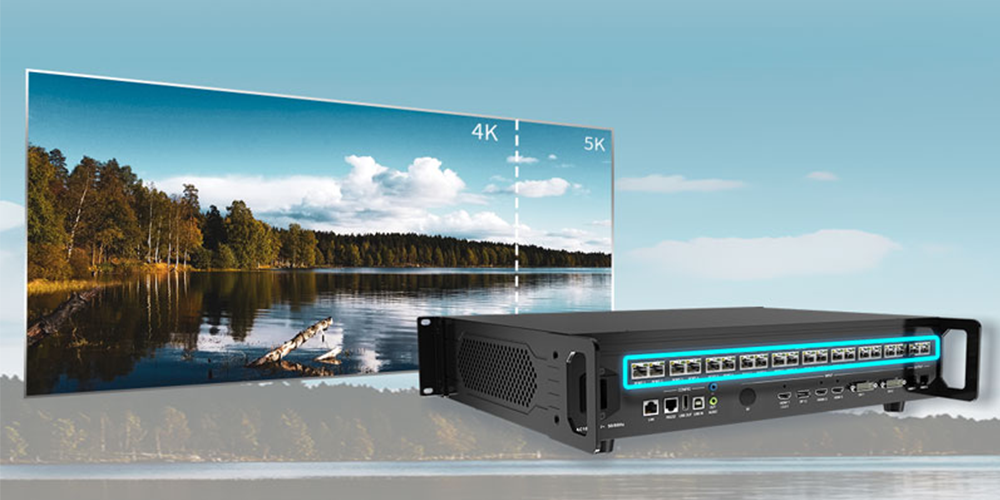
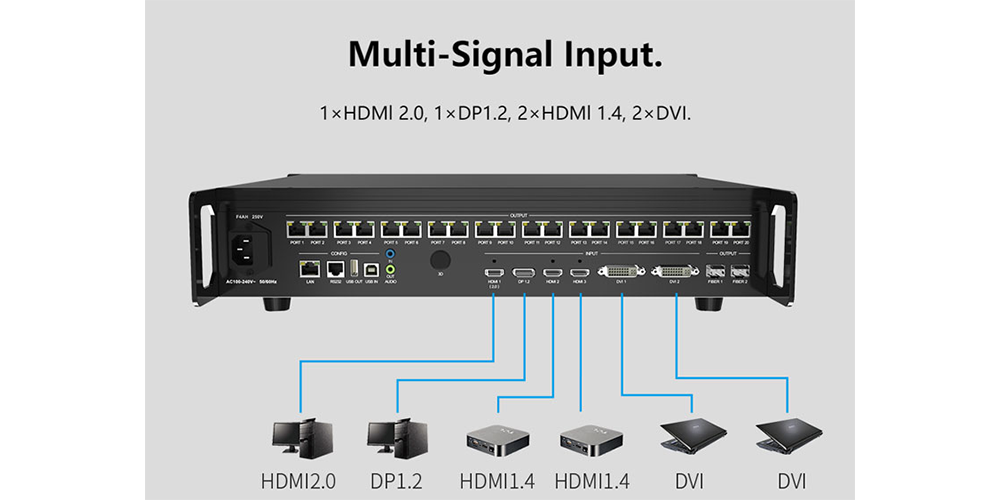
Accommodates up to 4K resolution inputs via DP 1.4 and HDMI 2.0 connectors, ensuring compatibility with modern high-definition sources.
3.2 Substantial Loading Capacity
Capable of handling up to 13 million pixels, with a maximum width of 16,384 pixels or a maximum height of 8,192 pixels, making it ideal for large-scale LED displays.
3.3 Versatile Output Options
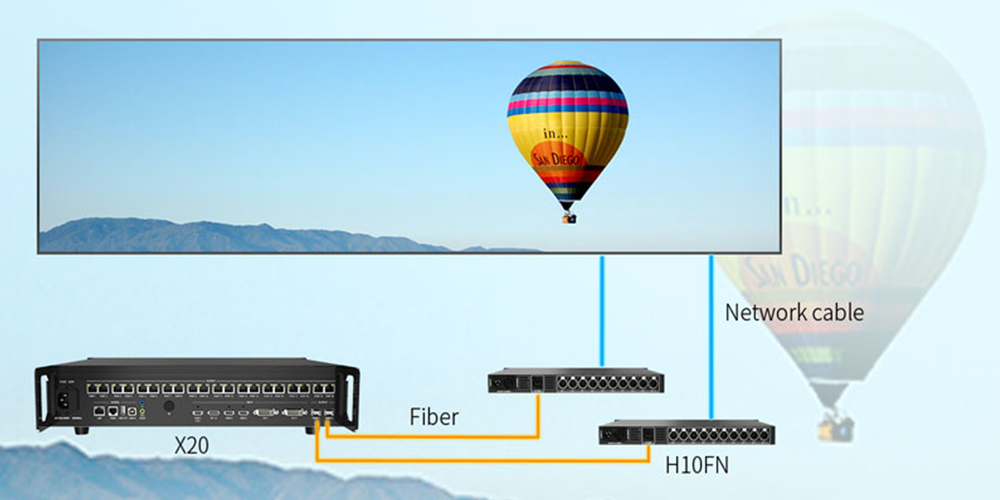
Equipped with 20 Gigabit Ethernet ports and 2×10G optical fiber ports, facilitating flexible and high-speed data transmission.
3.4 Advanced Video Processing
Supports seamless video source switching, cropping, splicing, and scaling, along with the ability to display up to 6 adjustable windows, enhancing content presentation flexibilit
3.5 Audio Integration
Offers independent audio input and output, supporting audio extraction from HDMI and DP inputs, ensuring synchronized audio-visual experiences.
3.6 User-Friendly Control Interfaces
Provides multiple control options, including USB, RS232, LAN port, and mobile app control, catering to various user preferences and facilitating ease of operation.
4.Installation & Setup
Proper installation and setup are crucial for maximizing the performance of the Colorlight X20. Follow these steps:
Step 1: Download the User Manual and Firmware
Visit the official Colorlight website to download the latest User Manual and firmware. Alternatively, access the resources here:
Colorlight X20 Specification
Colorlight X20 User Manual
Colorlight X20 Firmware
Step 2: Hardware Connection
- Video Input:Connect the video source device (e.g., computer or media player) to the corresponding input port of the X20, including 1×HDMI 2.0, 1×DP 1.4, 2×HDMI 1.4, and 2×
- Network Output:Use a network cable to connect the X20’s 20 Gigabit Ethernet ports to the LED receiving card. For long-distance transmission, utilize the 2×10G fiber ports.
- Audio Connection: If audio output is required, use the X20’s independent audio input and output ports to transmit audio signals to the speaker system.
Step 3: Software Installation
Download and install the control software Colorlight iSet for the X20.
Step 4: System Configuration
- Device Detection: Launch the iSet software to ensure the X20 is properly connected and recognized.
- Screen Parameter Settings:Configure the resolution, scan mode, and other parameters of the LED screen in the software.
- Video Source Settings: Select and configure the video input source in iSet to ensure correct signal transmission.
- Multi-Window Layout:Set up a multi-window display as needed, supporting up to six adjustable windows.
Step 5: Firmware Upgrade (Optional)
Use the LEDUpgrade tool to upgrade the X20’s firmware for the latest features and performance optimizations.
Step 6: Test and Adjust
After completing the above settings, test the display effect of the LED display. Adjust parameters such as brightness, color temperature, and grayscale as needed.
5.Applications of Colorlight X20
The Colorlight X20 is engineered to manage high-resolution, large-scale LED screens, making it suitable for a variety of applications:
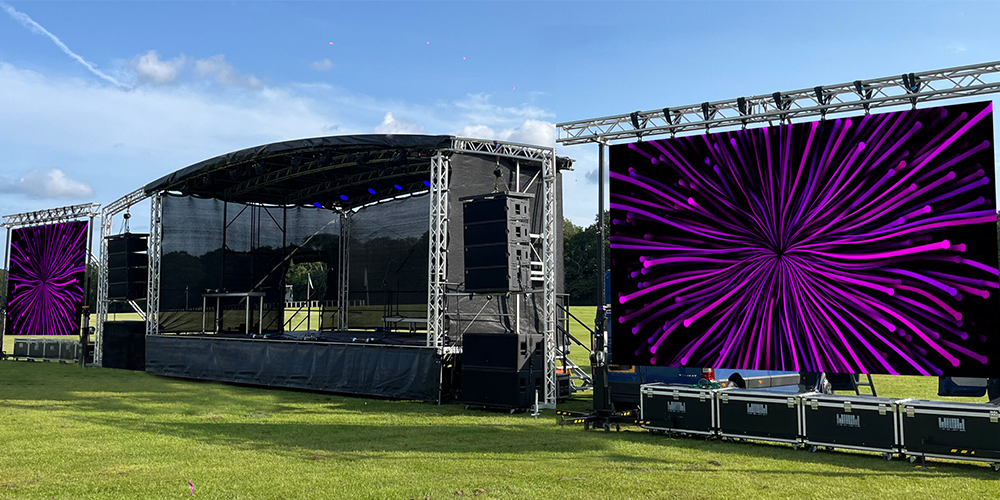
- Concerts and Live Events: Delivering high-resolution visuals to large audiences.
- Broadcast Studios: Managing complex video inputs and outputs with precision.
- Corporate Presentations: Enhancing communication with dynamic and clear displays.
- Sports Arenas: Providing spectators with real-time information and entertainment.
- Retail Environments: Creating engaging advertising and informational displays.
These applications leverage the X20’s robust features, including support for 4K inputs, seamless video processing, and substantial loading capacity, to deliver high-quality visual experiences across diverse settings.
6.Benefits of Choosing the Colorlight X20
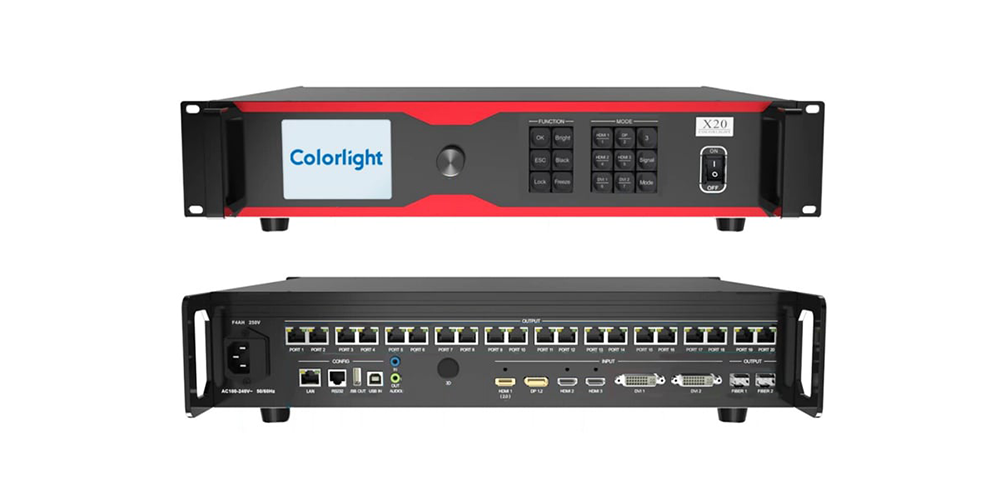
The Colorlight X20 offers several significant advantages:
6.1 High Load Capacity
Supports up to 13 million pixels, accommodating displays with widths up to 16,384 pixels and heights up to 8,192 pixels.
6.2 Versatile Input Options
Equipped with multiple input interfaces, including HDMI 2.0, DP 1.2, HDMI 1.4, and DVI, ensuring compatibility with various video sources.
6.3 Flexible Output Interfaces
Features 20 Gigabit Ethernet ports and 2×10G optical fiber ports, providing stable and high-speed data transmission.
6.4 Advanced Video Processing
Supports seamless switching between multiple video sources, cropping, scaling, and multi-window display with up to six layers.
6.5 Independent Audio Integration
Includes independent Hi-Fi audio input and output ports, capable of extracting audio from HDMI signals and outputting to speakers.
6.6 User-Friendly Control Options
Offers multiple control interfaces, such as USB, RS232, LAN, and compatibility with third-party devices through TCP/UDP/RS232 protocols.
7.Troubleshooting & Maintenance
Here’s how to address common issues and maintain your Colorlight X20:
Common Issues & Fixes
| Problem | Solution |
| No Signal | Check cables and restart the source device |
| Color Inconsistency | Re-run calibration in GrandShow |
| Flickering Display | Adjust the refresh rate settings |
| Overheating | Ensure proper ventilation |
Preventative Maintenance Checklist
- Daily: Visual inspection for dead pixels
- Weekly: Dust removal from vents
- Monthly: Full calibration check
- Quarterly: Firmware updates
Following these steps extends the lifespan of your Colorlight X20.
8.Frequently Asked Questions
Q:Can the X20 perform video source switching and manipulation?
Absolutely! The X20 excels in video source switching, cropping, splicing, and scaling, providing versatility and control over the displayed content.
Q:Does the X20 support 3D display?
Yes, the Colorlight X20 supports 3D display functionality (accessories sold separately), providing an immersive visual experience for compatible content.
Q:Can the X20 adjust brightness and color temperature?
Absolutely! The Colorlight X20 allows for brightness and color temperature adjustment, giving users greater control over the displayed content’s visual characteristics.
Q:Can I save and recall preset scenes on the X20?
Yes, the X20 provides the convenience of saving and recalling up to 16 preset scenes, allowing for quick and effortless configuration changes.
Q:What is the price of Colorlight X20?
The Colorlight X20, being the flagship model of the X series LED video controllers, is priced between $1800 and $2800. It offers powerful features and functionality. For the additional 3D module functionality, an extra cost of approximately $400 would be required.. However, if you’re looking for a more affordable option, you can consider other models such as the X1, X2, X3, X4, X2s, X4s, X6, and X7.
9.Conclusion
The Colorlight X20 is a cutting-edge LED video processor that combines extensive input/output interfaces, impressive loading capability, advanced video processing, and user-centric control functions. Whether you’re setting up a live event, broadcast environment, or commercial display, the Colorlight X20 provides the performance and reliability required to meet and exceed modern display demands.