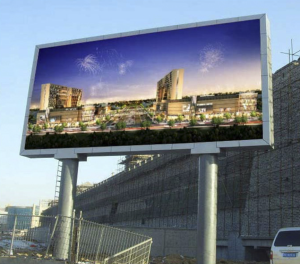
Teach you how to play videos on LED billboards
Have you ever wanted to play videos on LED billboards but didn’t know how? If so, follow this article to find out!
Cable connection
First, prepare the following accessories:
- Ethernet cable/RJ45 network cable
- HDMI cable
- USB debugging cable
- Desktop computer
- Video processor
- LED billboard controller
Second, check all the cables. If any are damaged, replace them in a timely manner to reduce the probability of accidents. If you don’t have a desktop computer device, you can use a laptop instead and connect the LED billboard to the laptop.
Third, connect the cables. The connection steps are as follows:
- Find the USB ports on the computer and video processor and connect them with the USB debugging cable.
- Find the HDMI ports on the video processor and computer and connect them with the HDMI cable.
- Connect the video processor and the controller on the LED billboard with an Ethernet cable.

Select and download the LED control software
After connecting all the cables, select the appropriate LED control software according to the brand of the LED billboard controller and download the LED control software to your computer.
You can download the LED control software from the JYLED official website. If you cannot find the LED control software corresponding to the brand, you can consult JYLED technical engineers for free, and we will provide you with the perfect solution.
Debug the LED billboard
After downloading the LED control software, you need to debug the LED billboard through your computer.
First, open the software, enter the password, and log in. After logging in, click “Device Details” to check whether the computer connection is normal.
Next, connect the computer and LED billboard according to the LED control software video.
Finally, perform intelligent debugging of the LED billboard. According to the technical specifications of the LED billboard, enter the relevant data on the LED control software.
Upload and play videos
After debugging the LED billboard, you can place the prepared video files on the computer desktop and then transfer them to the LED billboard through the LED control software, allowing the LED billboard to play the corresponding video images.

Conclusion
Through this article, we believe you have mastered the skills of playing videos on LED billboards. If you encounter any difficulties in this process, please contact JYLED, and we will provide you with a satisfactory answer.