How to configure Novastar MCTRL300 for optimal LED display performance
LED displays are at the heart of modern visual experiences, from live events to security monitoring centers. However, achieving crisp, vibrant, and consistent performance requires a reliable controller like the Novastar MCTRL300. This powerful LED display controller is designed to optimize your display’s output, ensuring high-quality imagery and seamless operation.
This article will give a detailed introduction to MCTRL300, including performance, operation, comparison and other aspects. If you are also interested, please continue reading.
1. What is the Novastar MCTRL300?
Novastar MCTRL300 serves as the brain behind your LED display, processing input signals and distributing them to the screen for optimal viewing. This led display controller is built for versatility, supporting applications in rental events, fixed installations, security centers, and sports venues. With its compact design and robust features, the MCTRL300 is a cost-effective solution for both small and large-scale displays.
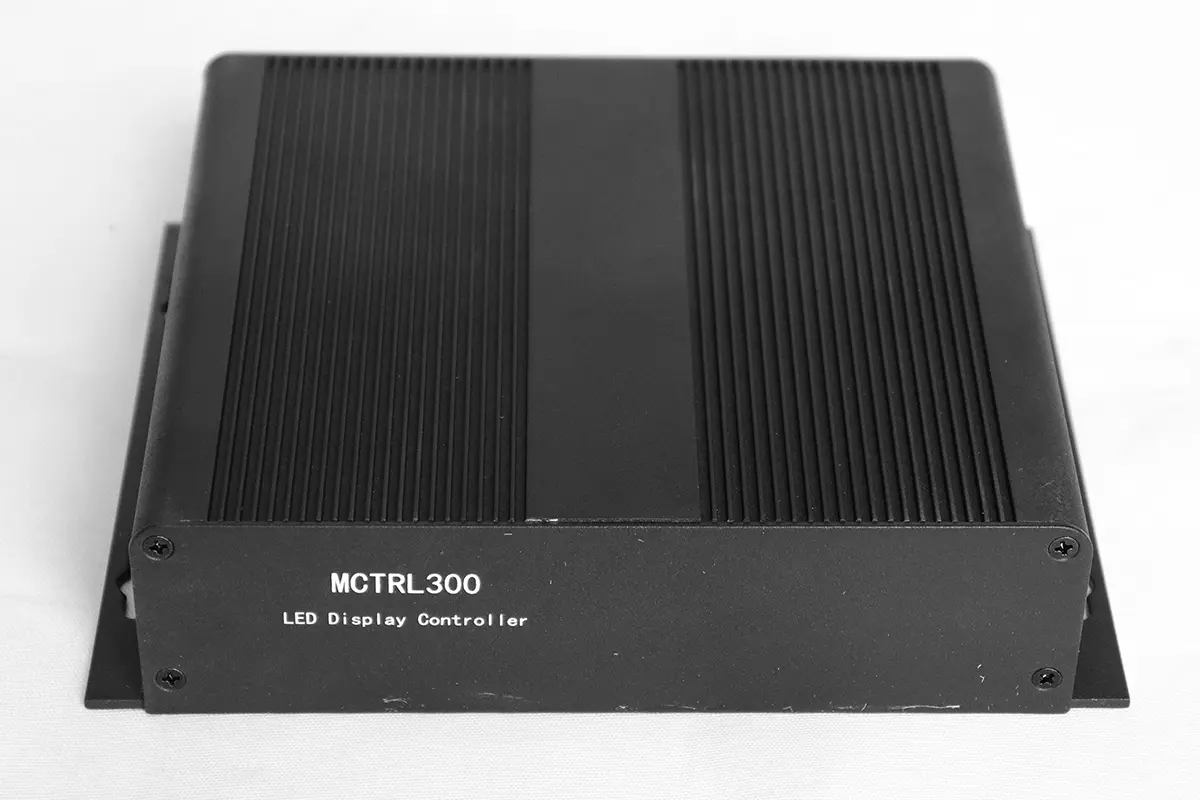
Novastar MCTRL300 front panel

Novastar MCTRL300 rear panel
Key features of the MCTRL300 include:
- Input Options: It has 1x SL-DVI input and 1x audio input, accommodating resolutions up to 1920×1200@60Hz, including custom resolutions.
- Output Capabilities: Equipped with 2x Gigabit Ethernet outputs, each supporting up to 650,000 pixels, with redundancy for reliable performance.
- Control and Connectivity: Features a type-B USB port for PC communication and UART ports for cascading up to 20 devices, enabling scalable setups.
- Calibration Support: Translated, it means: Used in conjunction with NovaLCT and NovaCLB software, the uneven colors and brightness on the LED screen can be adjusted pixel by pixel, ultimately allowing you to see a high-quality screen with pure colors and a uniform picture.
- Environmental Adaptability: Includes a light sensor connector for automatic brightness adjustment based on ambient conditions.
2. NovaStar MCTRL300 Price
While exact costs can vary based on factors like region, distributor, and market demand, the MCTRL300 is generally positioned as a mid-range controller, offering excellent value for its features.
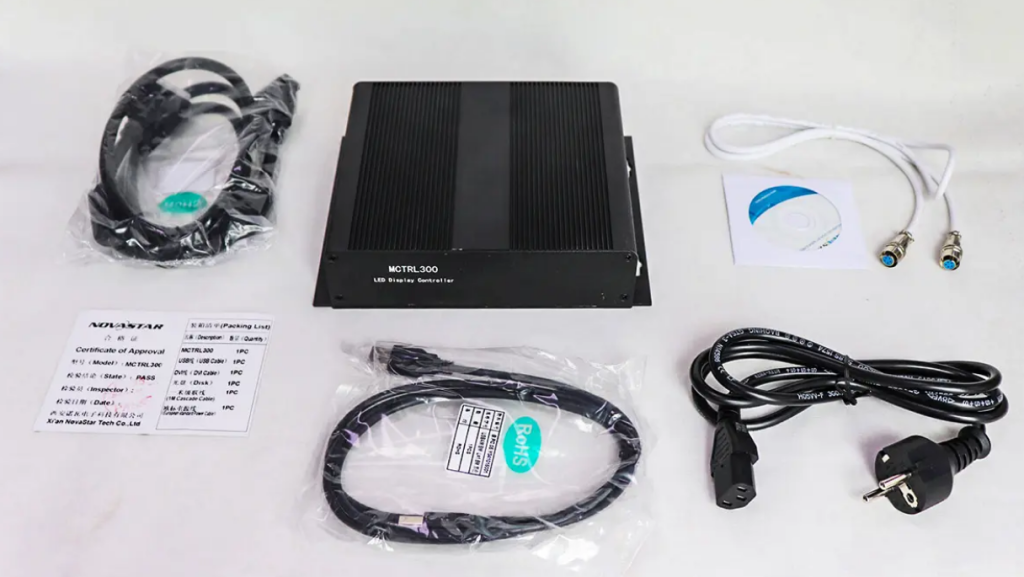
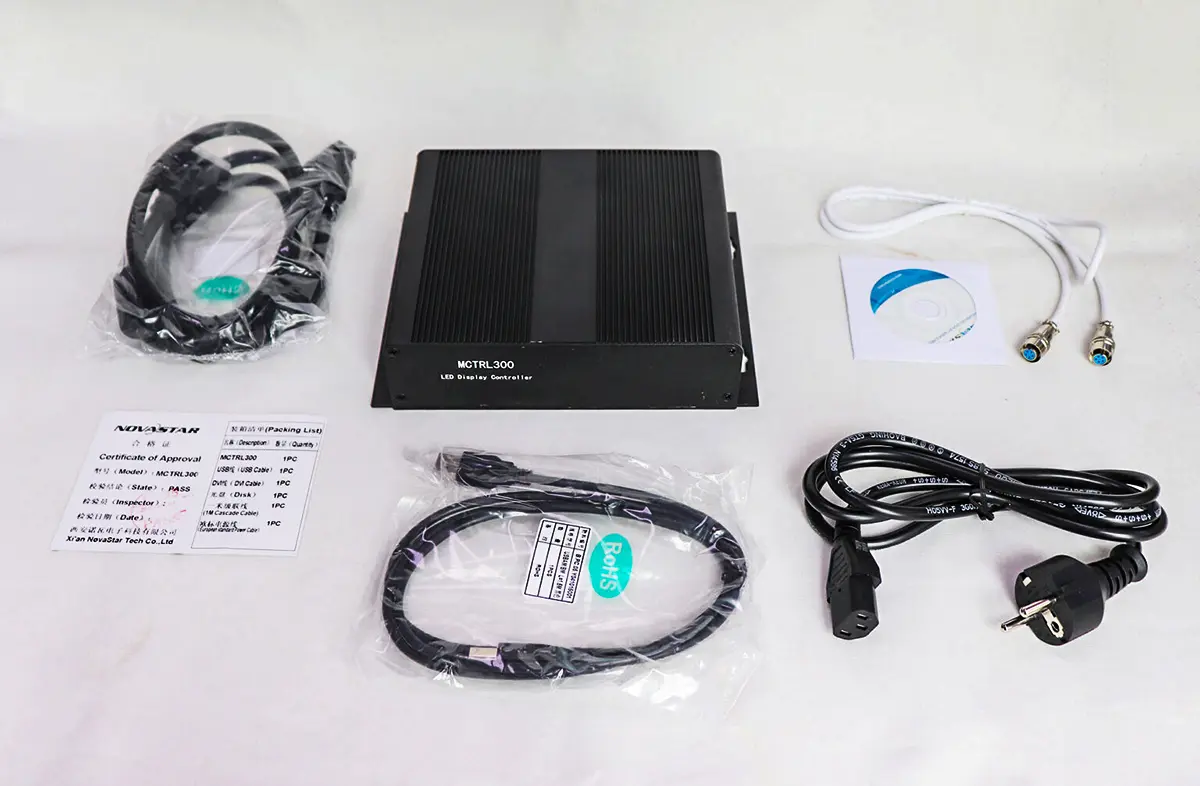
The price of MCTRL300 ranges from US$120 to US$300, while the price on EagerLED e-commerce website, the official authorized distributor of Novastar, is $145.00 for a complete set, including power cord, signal cable and other accessories.
3. How Novastar MCTRL300 to Enhance Your LED Display Performance?
The Novastar MCTRL300 significantly boosts LED display performance through advanced processing and calibration features. Here’s how it enhances your setup:
Pixel-Level Calibration
By integrating with NovaLCT and NovaCLB software, the MCTRL300 enables precise brightness and chroma adjustments for each LED. This eliminates color mismatches,making visuals appear more vibrant and consistent—even in large-scale installations.
High Resolution Support
This led display controller can receive and smoothly play very high-definition video signals (up to 1920×1200@60Hz) and is also compatible with various non-standard resolutions, ensuring smooth display without lag or distortion. This feature is essential for applications such as live broadcasts and television directing, where image clarity and stability are paramount.
Scalability via Cascading
You can cascade up to 20 MCTRL300 units using UART ports, allowing control of massive displays with millions of pixels. This flexibility supports expansive setups, such as stadium screens or multi-panel events, without compromising performance.
Ambient Light Adaptation
This controller has a built-in ambient light sensing function, just like the automatic brightness adjustment of a mobile phone. When the surrounding environment is bright, the screen will automatically brighten to ensure clear viewing; when the environment is dark, the screen will automatically dim. This is not only comfortable for the eyes, but also prevents the screen from being too bright and wasting power during strong daylight hours.
Efficient Power Management
With a rated power consumption of only 3.0W, the MCTRL300 operates efficiently, reducing energy costs and heat output.
4. Step-by-Step Guide to Configuring Your Novastar MCTRL300?
Configuring the Novastar MCTRL300 is straightforward if you follow these steps.
Unbox and Inspect: Start by unboxing the MCTRL300 and verifying all accessories: power cord, cascading cable (1 meter), USB cable, and DVI cable. Check the led display controller for any physical damage.
Connect Hardware:
- Power: Plug the AC power cord (100V-240V) into the led display controller and a wall outlet. The STA indicator should light up red, indicating normal power supply.
- Input Source: Use the DVI cable to connect a video source (e.g., a computer) to the SL-DVI input port. For audio, attach an audio source to the AUDIO input.
- Output to LED Display: Connect the Gigabit Ethernet outputs to your LED display panels using Ethernet cables. Ensure secure connections to avoid signal loss.
- Optional Sensors: If using a light sensor for automatic brightness, connect it to the LIGHT SENSOR port.
Install Software
On your PC, download and install NovaLCT software from NovaStar’s website. This software is essential for configuration and calibration.
Connect to PC
Use the type-B USB cable to link the MCTRL300 to your PC. Open NovaLCT and ensure the controller is detected. You may need to install drivers if prompted.
Configure Display Parameters:
- In NovaLCT, set the input resolution (e.g., 1920×1200@60Hz) and output parameters based on your LED display’s specifications.
- Use the calibration tools to adjust brightness and chroma for optimal consistency. This step is key for enhancing performance.
- Test and Monitor: Play a test video to check the display. Observe the RUN indicator—normal flashing (4 times per second) means video input is active. Adjust settings as needed for smooth operation.
- Cascading (If Applicable): For larger setups, connect multiple MCTRL300 units via UART ports using the cascading cable. In NovaLCT, configure the cascade mode to synchronize all devices.
5. MCTRL300 vs. Alternative LED Display Controllers
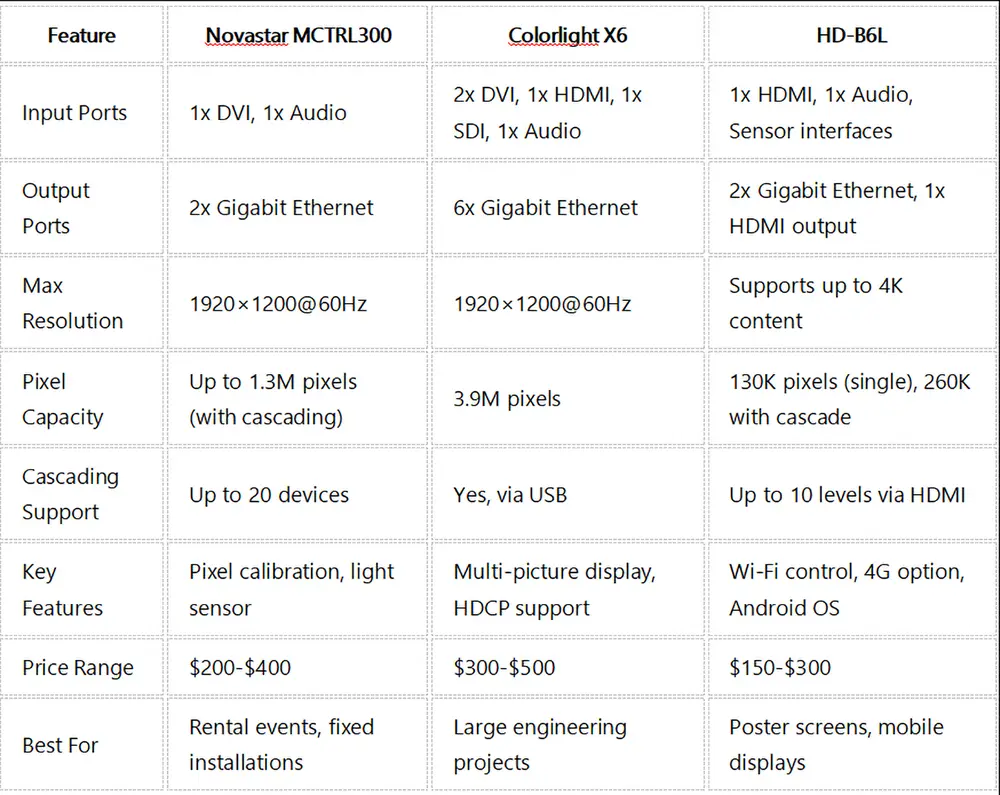
When choosing an LED display controller, it’s helpful to compare the Novastar MCTRL300 with alternatives like the Colorlight X6 and HD-B6L. Below is a table summarizing key differences:
Analysis:
- This MCTRL300 led display controller has accurate color adjustment and stable and durable performance. It is particularly suitable for places like TV stations, high-end conference rooms or press conferences that have extremely high requirements for picture effects.
- The Colorlight X6 offers more input options and higher pixel capacity, suited for complex installations like broadcast studios, but it’s pricier.
- The HD-B6L is budget-friendly with modern features like Wi-Fi and 4G, perfect for small-scale or mobile applications, but it lacks the MCTRL300’s advanced calibration.
6. Novastar MCTRL300 Resource Download?
To get the most out of your Novastar MCTRL300, access these essential resources:
Software Downloads: NovaLCT V5.4.4.6 and NovaCLB software are available on NovaStar’s official website (www.novastar.tech). These tools enable configuration, calibration, and firmware updates.
7.Conclusion
The Novastar MCTRL300 is a versatile and cost-effective LED display controller that can significantly enhance your display’s performance through features like pixel-level calibration, high-resolution support, and reliable cascading.If you’re looking to upgrade your LED setup, the MCTRL300 is a smart investment for long-term quality and efficiency.
For more insights, explore NovaStar’s official channels or connect with user communities. Or if you want more professional purchasing advice, you can contact us and we will give you detailed guidance.