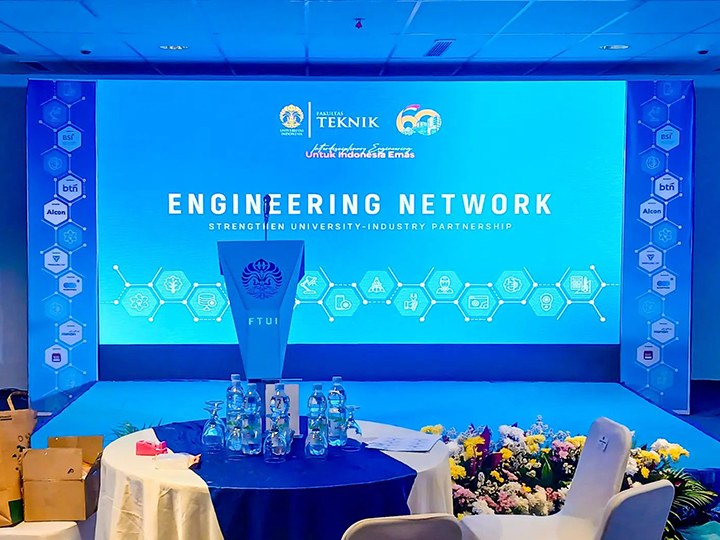
Ghosting Phenomenon in Fine-Pitch LED Displays: Cause Diagnosis and Solutions
In real commercial applications, dragging shadow often appears when playing fast-moving video or high-contrast content. This problem reduces image sharpness, affects viewing comfort, and can even damage brand perception in control rooms, conference centers, broadcast studios, and premium indoor displays. Many users struggle because the root causes are technical and not always obvious.
In this guide, you will learn why dragging shadow occurs, how to identify the real causes, and which practical solutions work, helping you restore clear motion performance and maximize the value of your small-pitch LED display investment.
Dragging shadow, also called ghosting or trailing, appears as a faint after-image or dark streak behind moving content on high-definition small-pitch LED screens. It happens when pixels do not update fast enough or when electrical charge carries over from one frame to the next, causing parts of the display to remain lit or dim when they should change. This effect reduces image clarity and makes high-speed video and dynamic graphics look blurred or smeared.
Core Causes of Dragging Shadow
| Root Cause | Description | Impact on Display |
| Parasitic Capacitance | Charge remains in column/row circuits after switching | Causes delayed pixel response and ghost trails |
| Graphics Card Driver Issues | Outdated or incompatible drivers mismanage frame timing | Leads to frame lag or trailing artifacts |
| Poor Refresh Rate | Low refresh rates cannot update pixels quickly | Visible trailing especially in fast content |
| Data Cable Issues | Bent, damaged, or low-quality signal cables | Signal distortion increases shadowing |
| Control System Mismatch | Processor settings don’t match display panel specs | Causes incorrect grayscale mapping |
This table captures the most common technical sources of dragging shadows, which often occur when high-definition content moves quickly across a small-pitch LED display.

How to Solve Dragging Shadow on LED High-Definition Small-Pitch Displays
Start by addressing signal and hardware factors, because nearly all dragging shadow issues trace back to timing errors, signal interference, or hardware mismatch.
1. Update and Optimize the Graphics Driver
Ensure the sending device’s graphics driver is up to date. Outdated drivers may mishandle frame timing and data delivery, contributing to the trailing effect. Reinstalling the driver and adjusting resolution or refresh settings can often eliminate software-related artifacts.
2. Check and Replace Data Cables
Damaged or bent data cables can distort the digital signal between source, processor, and LED cabinet. Replace cables with high-quality shielded versions and verify they are straight and securely connected. Keep signal cables away from power lines to reduce electromagnetic interference.
3. Match Refresh Rate and Panel Specifications
Use the control system software to set a refresh rate that matches the display’s capabilities. Insufficient refresh rates cause lag in pixel updates, which becomes visible as trailing shadows in motion content. Increasing the refresh rate stabilizes the motion response.
4. Adjust Control System and Driver Settings
Control processors often include features like grayscale compensation and advanced image processing. Incompatible or aggressive settings may introduce artifacts:
• Set grayscale depth to match the input signal bit depth
• Disable or tune advanced compensation features that conflict with panel behavior
Matching the processor settings with the LED panel’s specifications reduces timing mismatches and ghosting.
Advanced Solutions and Technologies to Eliminate Ghost Trails
In addition to troubleshooting basic causes, advanced system design and software features can actively prevent dragging shadows.
Shadow Elimination and Parasitic Capacitance Control
Some LED display technologies use dedicated shadow elimination circuits. These systems automatically neutralize parasitic capacitance when switching rows or columns, preventing residual charge from causing trailing. When row (n) switches to row (n+1), the elimination function ensures unwanted charge does not persist in the LED elements.
High Refresh and Stable Processing Pipelines
Choosing processors and drivers capable of consistently high refresh rates improves motion clarity. High refresh rate systems maintain stable content delivery even during fast moving video, minimizing artifacts that the human eye or cameras could detect.
Best Practices for Long-Term Shadow Prevention
| Practice | Benefit |
| Regular driver and firmware updates | Keeps system compatible and optimized |
| Use certified high-quality cables | Reduces noise and data distortion |
| Monitor refresh and scan modes | Ensures timing matches display hardware |
| Match input signal depth to processor settings | Avoids data truncation and artifacts |
| Schedule system calibration | Maintains uniform performance over time |
These best practices help maintain a clean, stable image quality over the life of the screen and prevent dragging shadows before they appear.

Conclusion
Dragging shadow on a high-definition small-pitch LED display usually stems from timing mismatches, residual charge effects, signal integrity issues, or incompatible system settings. By updating drivers, matching refresh rates to panel specs, using quality cables, and optimizing control system configurations, you can significantly reduce or eliminate ghosting artifacts in dynamic content.
If you want consistent and high-clarity display performance for your commercial LED projects, it helps to work with an experienced LED display manufacturer. Muenled provides tailored solutions and technical support to ensure your small-pitch LED screens deliver stable, high-definition images without dragging shadows or motion artifacts. Contact us to learn how we can help optimize your next LED display deployment.