Colorlight Z5 Video Processor: Unleash the Full Potential of 4K HDR LED Displays
When deploying 4K HDR content on LED walls, the video processor you choose determines whether the image looks stunning—or compromised. The Colorlight Z5 delivers true 4K@60 processing with HDR support and sub-frame latency, but only if configured correctly. This guide cuts through the complexity and shows you how to unlock its full potential as a professional LED video processor, from initial setup to final calibration.
1.Introduction to the Colorlight Z5 LED Video Processor
Colorlight Z5 is a next-generation LED video processor that redefines the standards for LED display controllers. It combines cutting-edge technology with user-friendly controls to deliver unparalleled image quality. With support for full 4K inputs, advanced video processing, and precise color adjustment, the Z5 is ideal for creating immersive LED displays in various industries.
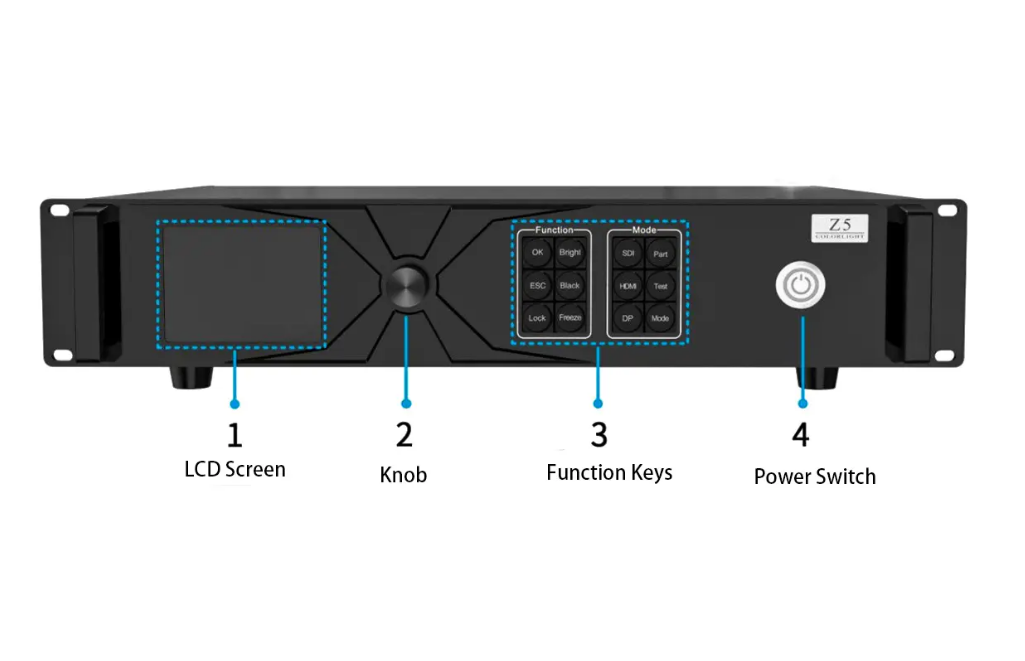
Colorlight Z5 Front Panel
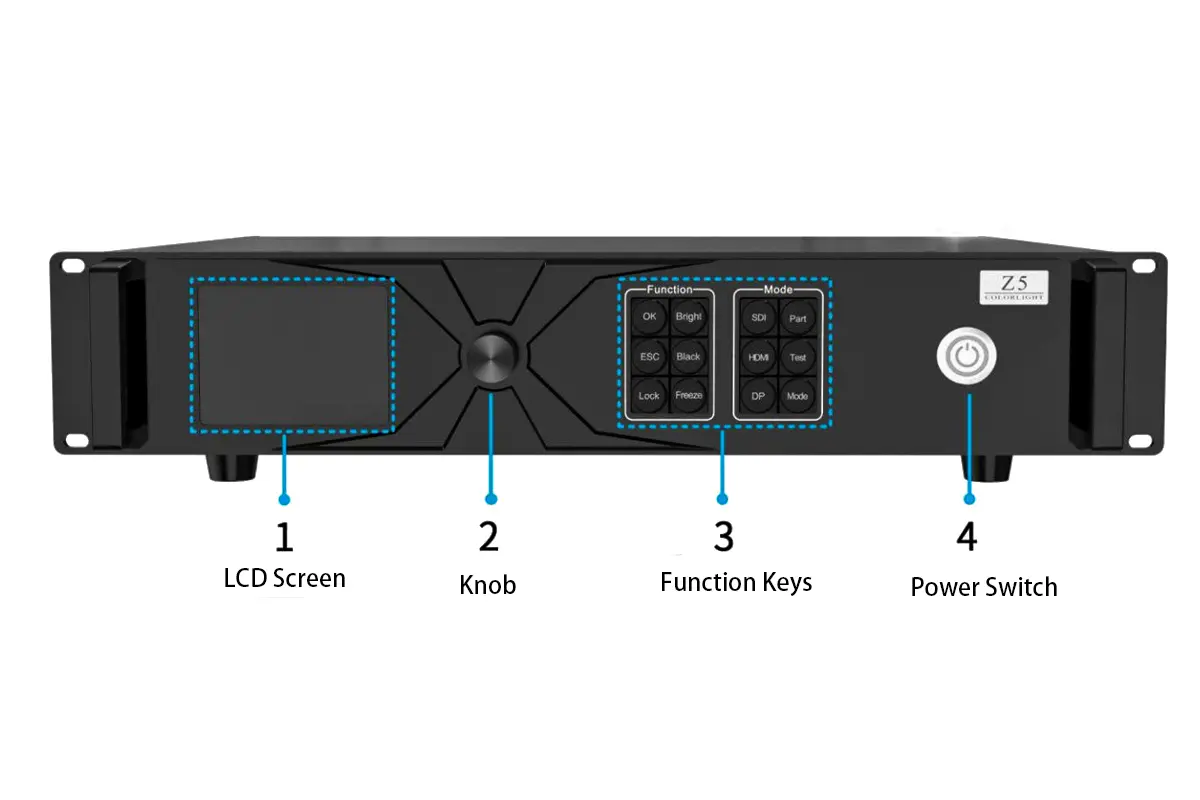
Colorlight Z5 Rear Panel
 100vw, 1200px” data-dt-location=”https://www.eagerled.com/colorlight-z5-led-video-processor/colorlight-z5-rear-panel/” data-lazy-src=”https://www.eagerled.com/wp-content/uploads/2025/12/Colorlight-Z5-Rear-Panel.webp” /></div>
</figure>
</div>
<div id= "Colorlight Z5 Rear Panel LED Display Manufacturer in China EagerLED")
key specifications of Colorlight Z5 LED Video Processor
| Feature | Specification |
| Video Input | HDMI 2.0 (supports 4K@60Hz, 4:4:4 / 4:2:2) |
| HDR Support | HDR10 metadata passthrough |
| Color Depth | Up to 10-bit input and processing |
| Output Ports | 8 × Gigabit Ethernet (RJ45) |
| Max Output Resolution | Up to 2.3 million pixels per port |
| Latency | <1 frame (ultra-low latency mode) |
| Control Interface | USB, RS-232, Web UI, Colorlight LED Studio |
| Typical Use Cases | Broadcast studios, XR stages, command centers, live events |
 100vw, 788px” data-dt-location=”https://www.eagerled.com/colorlight-z5-led-video-processor/reference-dimension/” data-lazy-src=”https://www.eagerled.com/wp-content/uploads/2025/12/Reference-Dimension.webp” /></div>
</figure>
</div>
</div>
</div>
</div>
</div>
<div id= "Reference Dimension LED Display Manufacturer in China EagerLED")
2.Key Functions of the Colorlight Z5 LED Video Processor
Colorlight Z5 functions as a professional LED video processor that bridges high-resolution sources and large LED displays. Unlike basic sending cards that merely forward data, the Z5 actively processes, scales, and synchronizes video—making it a true LED display controller for applications where image quality and timing matter.
Seamless 4K HDR Input
Z5 accepts native 4K@60Hz signals through HDMI 2.0, which is essential for modern HDR content from cameras, media servers, or broadcast switchers. It doesn’t alter the HDR metadata but passes it through intact, allowing compatible receiving cards (like Colorlight 5K/6K series) to render the full dynamic range. This passthrough approach ensures color accuracy without introducing processing artifacts.
- Supports 4K@60Hz, 10-bit, 4:4:4 chroma
- HDR10 metadata preserved (no internal tone mapping)
- DisplayPort or SDI inputs require external converters
Low-Latency Processing for Real-Time Workflows
In live environments, even one extra frame of delay can break immersion or cause lip-sync issues. Z5 processes video in under one frame of latency, making it suitable for sports, concerts, or virtual production where real-time response is non-negotiable.
- <1 frame end-to-end latency in standard mode
- No unnecessary buffering or caching
- Ideal for camera-facing or interactive displays
Onboard Image and Color Control
Rather than relying on external scalers, the Z5 LED controller includes built-in tools to fine-tune how content appears. You can adjust color balance per output to match panel aging, crop unused areas of the source, or rotate content for portrait installations—all managed through Colorlight LED Studio.
- Per-output brightness, contrast, saturation, hue
- Independent RGB gain for color calibration
- Cropping, scaling, rotation without external hardware
3.Where Does the Colorlight Z5 Fit in an LED System?
In a typical professional LED setup, the Colorlight Z5 acts as the front-end LED video processor—sitting between the video source and the receiving cards that drive the physical display. It receives high-resolution signals (like 4K HDR from a media server or camera), processes and scales them as needed, then distributes pixel-mapped data over Ethernet to downstream Colorlight 5K/6K series receiving cards, which in turn control the LED modules.
This position makes the Z5 critical for ensuring timing accuracy, color consistency, and layout integrity across the entire wall. It’s not a switcher or matrix; it’s a dedicated processing node optimized for real-time, high-fidelity output.
Its capabilities align well with several demanding applications:
 100vw, 1200px” data-dt-location=”https://www.eagerled.com/colorlight-z5-led-video-processor/colorlight-z5-led-video-processor-application/” data-lazy-src=”https://www.eagerled.com/wp-content/uploads/2025/12/Colorlight-Z5-LED-Video-Processor-Application.webp” /></div>
</figure>
</div>
<div id= "Colorlight Z5 LED Video Processor Application LED Display Manufacturer in China EagerLED")
Live Events (Concerts, Conferences)
The Z5’s sub-frame latency ensures visuals stay perfectly in sync with live action or audio—eliminating distracting delays during performances or speaker presentations.
Broadcast & Virtual Production
With true 4K@60 input and frame-synchronous outputs, it delivers clean, camera-friendly feeds for on-air graphics or XR stages where even minor jitter or color shift is unacceptable.
Sports Monitoring & Control Rooms
By preserving HDR10 metadata and supporting wide color gamut through 10-bit processing, the Z5 helps maintain the director’s intended look when displaying film-grade content on large LED surfaces.
In all these cases, the Z5 functions as a reliable LED display controller—not by managing every pixel directly, but by intelligently preparing and routing the video stream so the rest of the system can perform at its best.
4.Step-by-Step Setup of the Colorlight Z5 LED display controller
Setting up the Z5 is straightforward, thanks to its intuitive interface and comprehensive connectivity options. Follow these steps:
Step 1: Physical Connections
- Connect input sources (e.g., cameras, PCs) using HDMI2.0, DP1.2, or 12G-SDI ports.
- Link output displays via Ethernet or fiber ports.
- Power on the device using the AC100-240V power socket.
 100vw, 1046px” data-dt-location=”https://www.eagerled.com/colorlight-z5-led-video-processor/colorlight-z5-led-video-processor-connection/” data-lazy-src=”https://www.eagerled.com/wp-content/uploads/2025/12/Colorlight-Z5-LED-Video-Processor-Connection.webp” /></div>
</figure>
</div>
<div id= "Colorlight Z5 LED Video Processor Connection LED Display Manufacturer in China EagerLED")
Step 2: Initial Configuration
- Use the front panel LCD screen and knob to navigate the menu.
- Set input resolution and output parameters.
- Enable Genlock if synchronizing multiple displays.
Step 3: Software Integration
- Download and install the LedVision software.
- Connect the Z5 to a PC via LAN or USB for debugging and configuration.
- Adjust advanced settings such as color calibration and HDR modes.
| Port Type | Function | Notes |
| HDMI2.0 | Input | Supports 4K@60Hz |
| DP1.2 | Input | Compatible with HDCP2.2 |
| 12G-SDI | Input | Ideal for broadcast applications |
| Ethernet | Output | Up to 20 channels |
| Fiber | Output | Requires optional SFP+ module |
5.4K HDR Video Processing Capabilities of the Colorlight Z5
Colorlight Z5 is a purpose-built LED video processor that delivers reliable 4K HDR performance by focusing on what matters most in professional LED workflows: signal integrity, timing precision, and compatibility—not speculative features it doesn’t support.
True 4K@60 HDR Input
Z5 LED controller accepts a native 4K@60Hz signal via HDMI 2.0, supporting 10-bit color depth and 4:4:4 chroma sampling. It does not alter or tone-map HDR content; instead, it passes HDR10 metadata unchanged to compatible receiving cards (such as the Colorlight 6K series), which then render the full dynamic range on the LED display. This passthrough approach ensures the creative intent of HDR content is preserved end-to-end.
Frame Rate and Timing Accuracy
While limited to 60Hz at full 4K resolution, the Z5 maintains rock-solid output synchronization across all eight Ethernet ports. At lower resolutions (e.g., 1080p), it can support higher refresh rates up to 120Hz, making it suitable for high-motion applications like sports replay walls—though claims of 240Hz operation are not applicable to this model.
Color Handling and Flexibility
The Z5 processes video in full 10-bit internally, minimizing banding in gradients. While it doesn’t enforce a specific color gamut, it preserves the source’s color space (BT.709, BT.2020, or DCI-P3) without clipping. Users can fine-tune brightness, contrast, saturation, and RGB gain per output via software to match panel characteristics or ambient lighting.
 100vw, 1345px” data-dt-location=”https://www.eagerled.com/colorlight-z5-led-video-processor/full-4k-input/” data-lazy-src=”https://www.eagerled.com/wp-content/uploads/2025/12/Full-4K-Input.webp” /></div>
</figure>
</div>
</div>
</div>
</div>
</div>
<div id= "Full 4K Input LED Display Manufacturer in China EagerLED")
6.Configuring 4K HDR Settings on the Z5 LED Controller
Colorlight Z5 doesn’t require complex HDR “modes” to be enabled—it automatically passes through HDR10 metadata when detected in the HDMI input stream. However, to ensure end-to-end 4K HDR performance, you need to configure both the Z5 and the downstream receiving cards correctly using Colorlight LED Studio. Here’s how:
Step 1: Verify HDR Signal Detection
- Open Colorlight LED Studio and connect to the Z5.
- Go to Input Settings → Check if the incoming signal is recognized as 4K@60Hz with HDR (the software will display “HDR” next to the resolution if metadata is present).
- The Z5 does not have an “HDR10/HLG toggle”—it only supports HDR10 passthrough. HLG is not processed or recognized.
Step 2: Configure Output Mapping for HDR Displays
- In the Output Layout section, define the pixel dimensions of your LED wall.
- Ensure your receiving cards (e.g., Colorlight 6K) are set to HDR mode in their own configuration—this is where actual tone mapping happens.
- The Z5 simply delivers the raw HDR signal; rendering depends on the receiver.
Step 3: Fine-Tune Color (If Needed)
- While HDR content should ideally be displayed without alteration, you can adjust brightness, contrast, saturation, and RGB gain per output port under Color Calibration.
- Use these controls sparingly—over-adjustment can clip HDR highlights or crush shadows.
Step 4: Validate with Test Patterns
- Use the built-in Test Pattern Generator in LED Studio (e.g., grayscale ramp, color bars, HDR highlight zones).
- Visually inspect the LED wall for uniformity, banding, or misalignment across cabinets.
- If HDR highlights appear washed out, confirm that your LED panels and receiving cards support HDR—the Z5 alone cannot “create” HDR on an SDR chain.
7.When to Choose the Colorlight Z5 Over Other LED Video Processors?
Colorlight Z5 isn’t the most feature-rich LED video processor on the market—but that’s precisely why it shines in the right context. It’s best chosen not for maximum I/O or advanced compositing, but for reliable, low-latency 4K HDR delivery at a practical price point.
Here’s when the Z5 is the smarter choice:
You Need True 4K@60 HDR Input
If your workflow starts with a 4K HDR source (e.g., media server, camera, or playback PC), the Z5 accepts native HDMI 2.0 signals with 10-bit 4:4:4 color and passes HDR10 metadata intact. Unlike basic sending cards that downscale or clip HDR, the Z5 preserves signal integrity—making it ideal for broadcast, XR, or high-end event visuals where color accuracy matters.
Your Display Is Medium-Scale (Up to ~4K Equivalent)
With 8 Gigabit Ethernet outputs, the Z5 comfortably drives walls up to 3840×2160 pixels total (depending on refresh rate). If you’re building a single 4K screen, a stage backdrop, or a control room video wall, it offers ample bandwidth—without paying for unused capabilities like 10G fiber or multi-source mixing.
You Prioritize Simplicity and Low Latency Over Fancy Features
Z5 does one thing well: process and distribute a single high-quality video stream with sub-frame latency and perfect output sync. It doesn’t offer picture-in-picture, Genlock, or redundant controllers—but if you don’t need those, avoiding them reduces cost, complexity, and points of failure.