Comprehensive Analysis of NovaStar MCTRL660: Features, Specifications, and Control Guide
If you’re building or managing a professional LED display system, choosing the right controller is crucial. The Novastar MCTRL660 series has become a go to choice for LED display wall integrators and rental companies worldwide thanks to its robust performance, flexible connectivity, and intelligent control functions.
In this comprehensive Novastar MCTRL660 review, we’ll break down everything from what this controller is, its hardware overview, key functions, full specifications, configuration steps, how much it costs, and answer your most frequently asked questions.
1. What Is the Novastar MCTRL660 LED Display Controller?
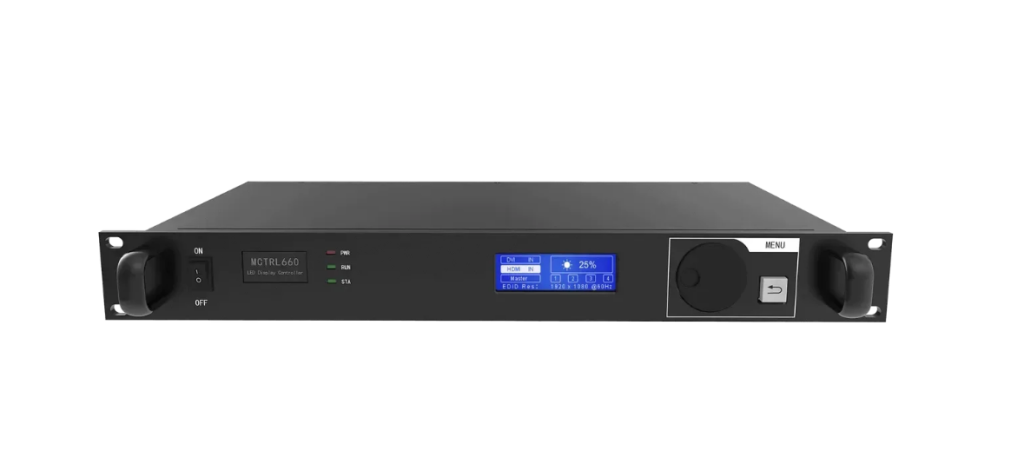
The Novastar MCTRL660 is an advanced LED display controller designed to manage and drive large pixel displays with high reliability and precision. Also known as the MCTRL660 Controller, it functions as the brains of any LED screen setup—processing video signals, handling input/output connections, and ensuring images are displayed with accurate color and stability.
Key Roles of the MCTRL660 Controller:
-
Accepts video and data input from various sources
-
Processes and scales the signal for LED displays
-
Sends processed image data to LED screen modules
-
Provides configuration and diagnostics tools for real‑time monitoring
Engineered by Novastar, a leading name in LED control technologies, the MCTRL660 is widely used in digital signage, concert stages, broadcast installations, sports arenas, and control rooms. Novastar’s reputation for high‑quality, reliable controllers makes this model a popular choice for professionals.
2. Novastar MCTRL660 Sender Box Hardware Overview
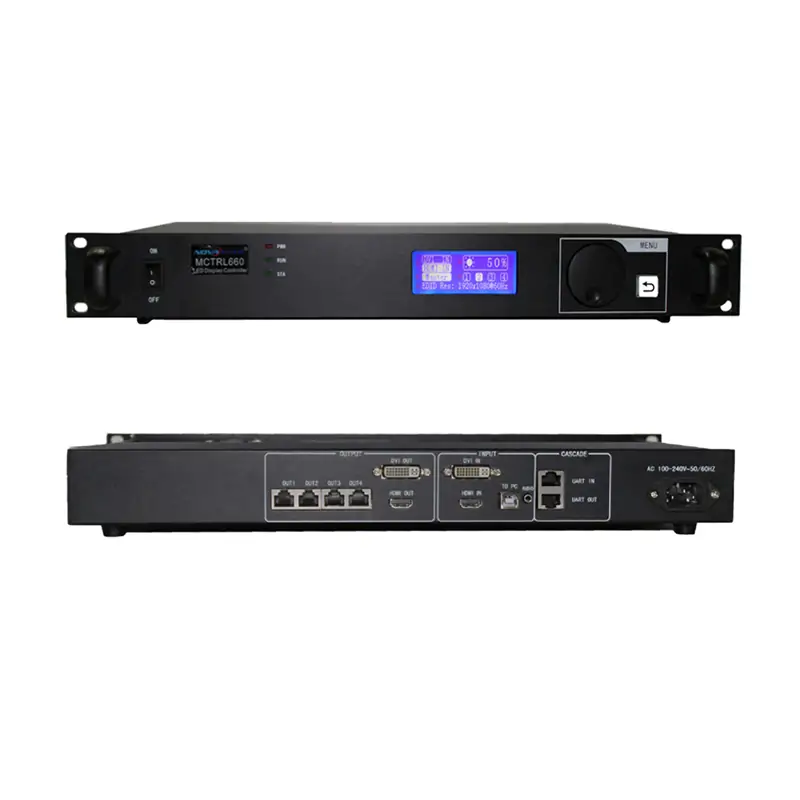
A big part of what makes the Novastar MCTRL660 Sender Box stand out is its hardware design. It’s built to support high bandwidth, multiple input options, and stable long‑term operations.
2.1 Processor & System Architecture
The MCTRL660 features a powerful onboard processor optimized for real‑time image processing. Its architecture is designed for:
-
Smooth video playback
-
Low latency performance
-
High refresh rate support
-
Color management precision
2.2 Input Interfaces
One of the greatest advantages of the MCTRL660 is its versatile input support. Typical inputs include:
-
HDMI – Standard high‑definition video input
-
DVI – For direct digital video transmission
-
DP (DisplayPort) – High‑bandwidth digital display interface
This allows the controller to accept video from PCs, media servers, cameras, and other content sources.

2.3 Output & Network Interfaces
For sending display data to LED cabinets, the MCTRL660 provides:
-
Multiple Ethernet ports (for sending data through network cables)
-
Redundant network design for stability
-
Optional fiber interfaces on some models
This hardware setup ensures secure, high‑speed transmission of display data that’s critical for large screens and high‑resolution content.
2.4 Build Quality & Design
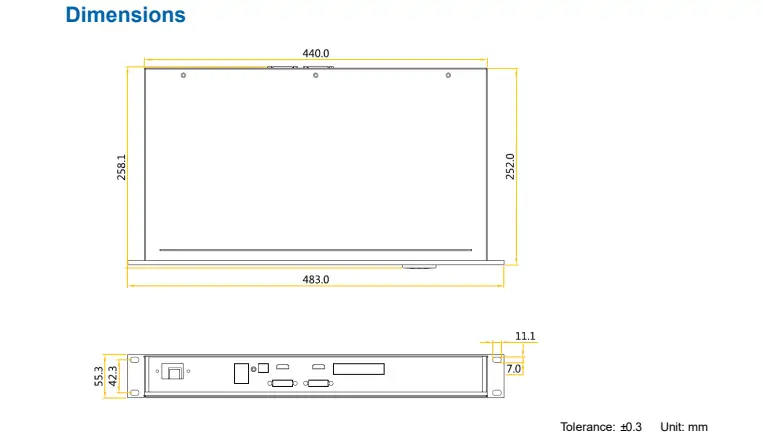
The MCTRL660 chassis is made with professional LED users in mind:
-
Metal enclosure for durability
-
Easy‑to‑access ports
-
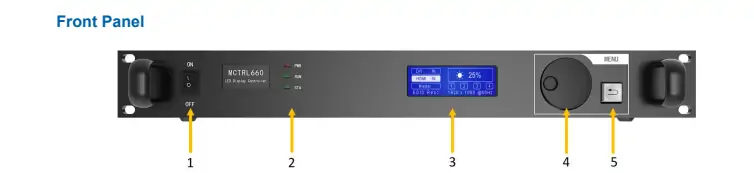
Status LEDs for monitoring
-
Cooling vents for heat management
This makes it a reliable choice for long events, rental tours, and fixed installations where sustained performance matters.
3. MCTRL660 Key Functions Explained
The Novastar MCTRL660 Controller is more than just a signal converter—it’s a fully featured control system with intelligent functions. Here are the most important features users need to know.
3.1 Image Processing & Scaling
MCTRL660 handles image scaling so your input video fits the LED display resolution perfectly, whether you’re driving a small signboard or a stadium‑sized screen.

3.2 High Refresh Rate Support
Thanks to its optimized processing core, the MCTRL660 supports high refresh rates (e.g., 3840 Hz or higher), which significantly reduces flicker on camera—especially important for TV broadcast applications.
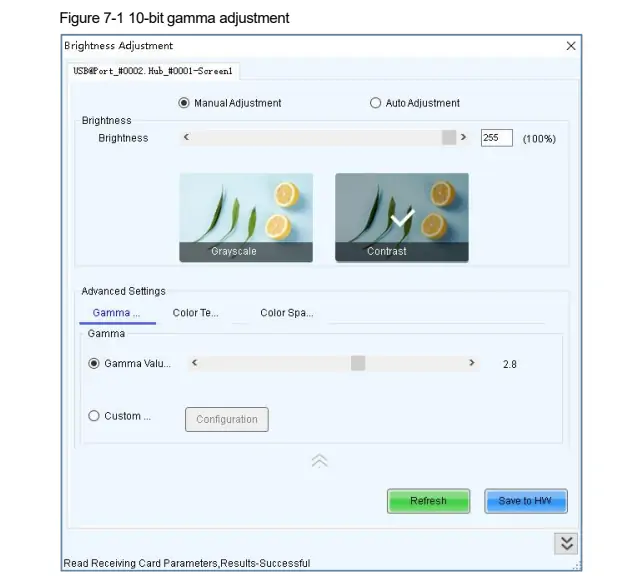
3.3 Color Calibration & Gamma Control
Built‑in color management tools allow you to adjust:
-
Brightness
-
Contrast
-
Gamma settings
-
Color temperature
This ensures your LED screen output looks accurate and vibrant in different lighting conditions.
3.4 Advanced Configuration Software
Novastar’s proprietary software makes configuring and managing the MCTRL660 intuitive. You can fine‑tune display settings, monitor screen status, and optimize performance from a PC interface.
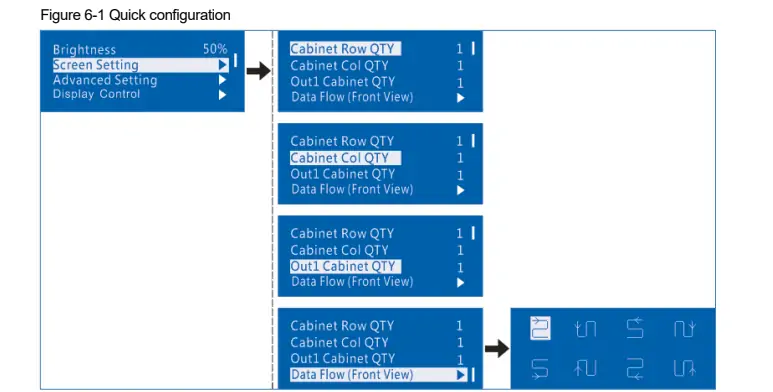
3.5 Remote Status Monitoring
The MCTRL660 provides real‑time feedback on operating temperature, link status, signal integrity, and system health—ideal for complex installations where uptime is critical.
4. Full Novastar MCTRL660 Specifications Breakdown
Below is a detailed look at the Novastar MCTRL660 specs to help you understand its technical capabilities.
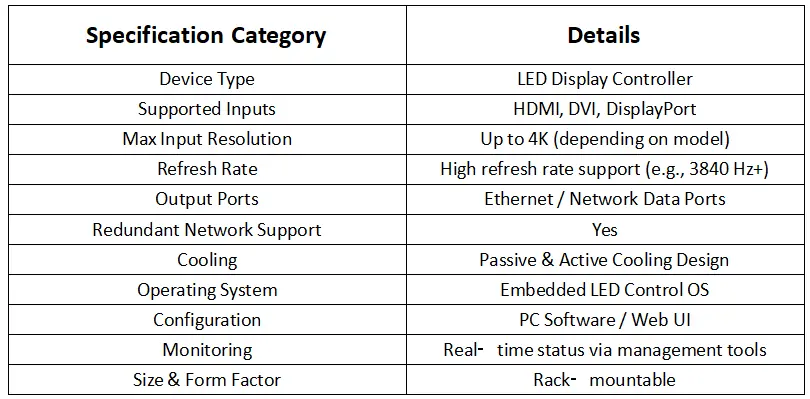
Note: Exact specs may vary slightly depending on the regional version or optional accessories (e.g., fiber interface modules, external sync).
5. How to Set Up and Configure the MCTRL660
Setting up the Novastar MCTRL660 LED Display Controller is straightforward if you follow these key steps.
Step 1: Connect Inputs
- Connect your video source (laptop, media server, camera) to the MCTRL660 via HDMI, DVI, or DisplayPort
- Ensure the source resolution matches or is scalable down to the LED screen resolution
Step 2: Connect to LED Panels
- Use Cat5e / Cat6 cables from the controller’s Ethernet output to your LED receiving cards
- Some installations may use fiber for long cable distances
Step 3: Install Novastar Control Software
On your PC:
- Download and install the official Novastar software
- Run the app and detect the controller unit
- Make sure your PC is on the same network
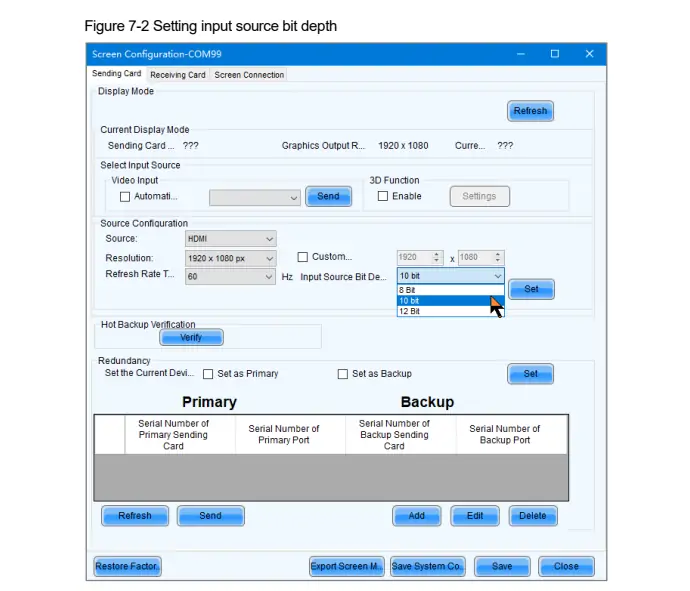
Step 4: Configure Display Parameters
Within the software, set:
- Display resolution
- Color temperature
- Refresh rate
- Input channel priorities
This will ensure the controller outputs a clean and optimized signal for your LED screen.
Step 5: Monitor & Test
- Check status indicators in real time
- Watch for signal integrity, temperature, and refresh feedback
- Perform test playback to confirm stable visuals
6. Novastar MCTRL660 Price and Value Analysis
Now let’s break down the Novastar MCTRL660 price, what affects it, and whether it’s worth the investment.
6.1 Typical Price Range
The Novastar MCTRL660 Controller typically retails between $705 – $750 USD depending on:
- Distributor or region
- Included accessories
- Warranty terms
- Firmware or software version
6.2 Value Considerations
Here’s why many LED integrators consider the MCTRL660 worth the cost:
✅ Strong hardware performance – robust and reliable
✅ Multi‑input support – future‑proof for different content sources
✅ High refresh rate – suitable for broadcast and rental
✅ Scalability – works for small to large screens
✅ Good brand support – Novastar tech ecosystem
7. FAQs
1. Is the MCTRL660 good for outdoor LED screens?
Yes, as long as you combine it with appropriate weather‑proof receiving cards and an LED panel system designed for outdoors.
2. Do I need a separate media server with the MCTRL660?
Not always. Many users feed content directly from laptops or playback devices. But for advanced content (multi‑layer video, graphics, effects), a media server can enhance flexibility.
3. Can the MCTRL660 support 8K input?
The controller handles high‑resolution inputs, but actual 8K support depends on your screen configuration and processing needs. Check the exact model’s spec sheet.
4. Is MCTRL660 compatible with Novastar Control Suite?
Yes, it integrates seamlessly with Novastar’s control software for configuration and monitoring.
8. Conclusion
The Novastar MCTRL660 LED Display Controller delivers a powerful and flexible solution for LED systems of all sizes. Whether you’re running rental tours, corporate signage, broadcast studios, or event stages, this controller provides the performance, configurability, and reliability you need.
With robust hardware, scalable connectivity, high refresh rate support, and intelligent control functions, the MCTRL660 stands out as a top choice among LED professionals.
If you need a dependable controller with rich features and long‑term support, the Novastar MCTRL660 is certainly worth considering.